
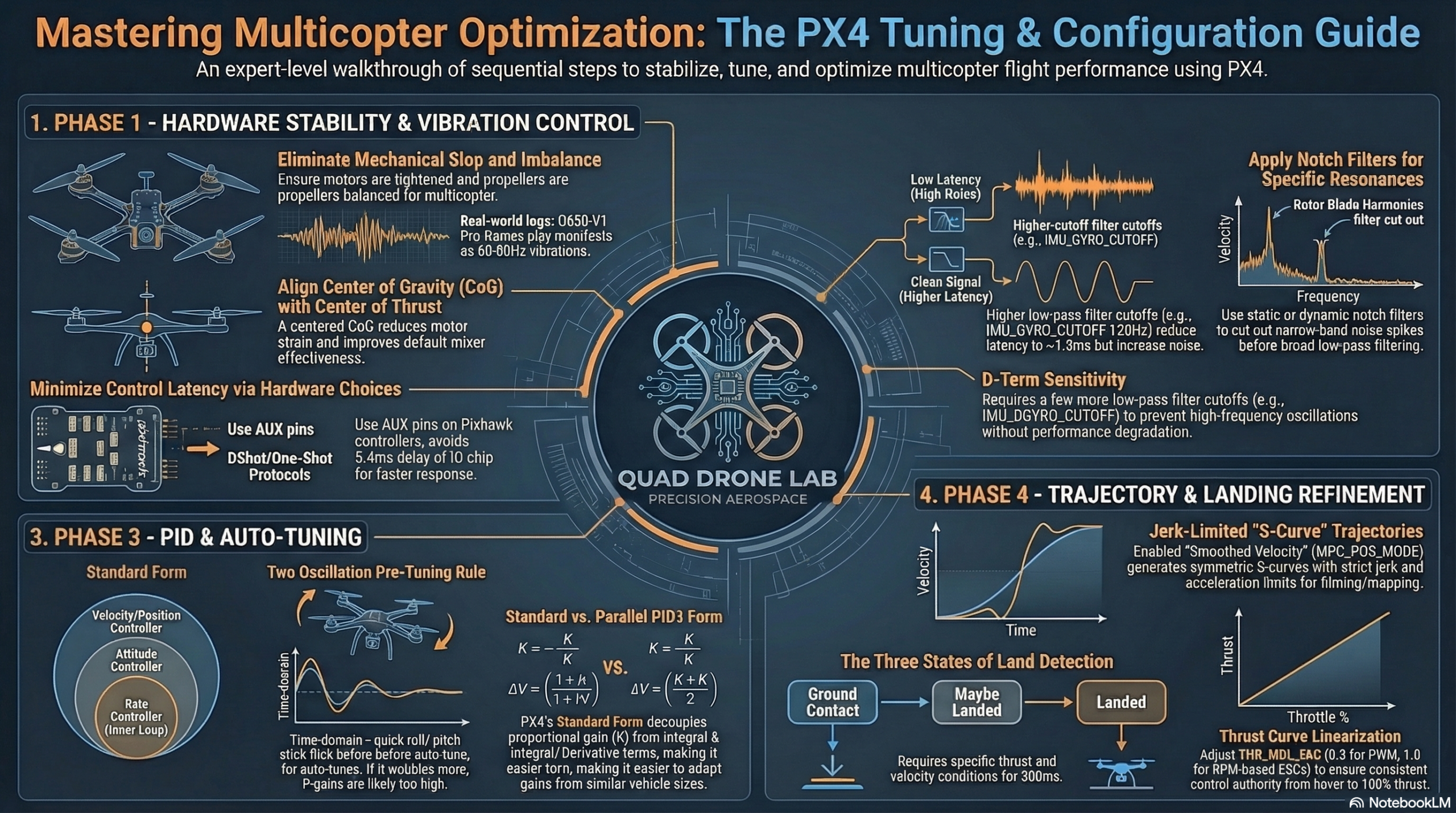
[Series Announcement] The Ultimate Guide to PX4 Tuning for Drone Researchers and Students
Hello to all university students, graduate students, and researchers working tirelessly on autonomous drones in the lab!
Have you ever spent hours building a custom drone for your research, only to find it doesn’t fly as you intended? You’ve probably experienced ruined flight tests due to unexplained vibrations, twitching, or unstable hovering. PX4 is an incredibly powerful open-source flight control software, but the sheer number of available parameters can make the tuning process feel like a massive, insurmountable wall for beginners.
To help you overcome this challenge, we are launching the “PX4 Tuning Blog Series”! Instead of overwhelming you with complex mathematical formulas or dry manual pages, this series will guide you step-by-step using practical flight tests and intuitive log analysis. From basic hardware checks to advanced PID control and flight optimization for specific purposes, we will explain everything in a friendly and easy-to-understand manner.
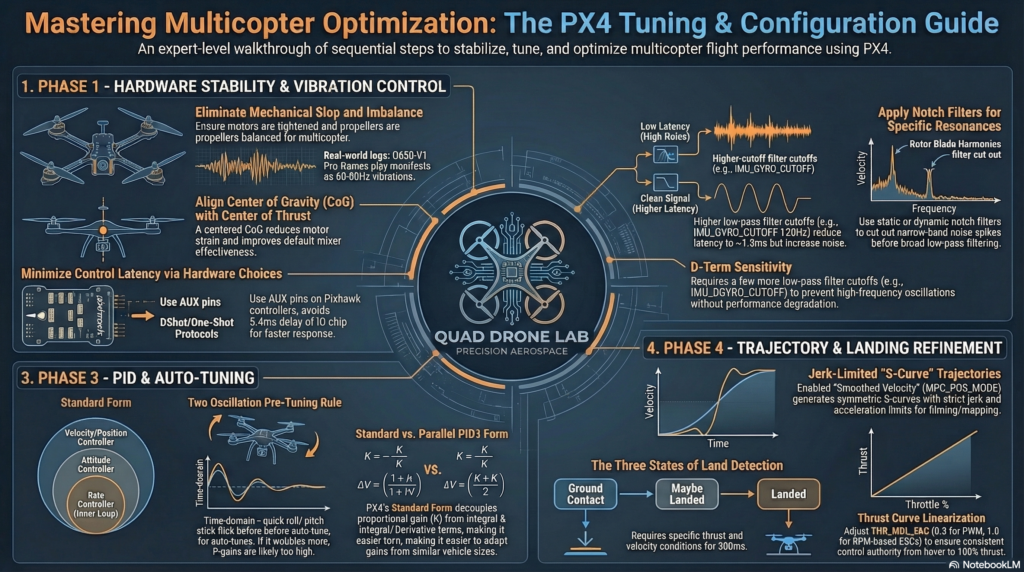
Here is a sneak peek at the core topics we will cover in the upcoming series:
Series 1: Basics of PX4 Tuning and Hardware Preparation
- Pre-flight Hardware Check: Covers how to configure the hardware to minimize vibrations by using high-quality frames, motors, and balanced propellers. Tightly securing any gaps in the frame near the motor mounts is also a crucial factor in reducing vibrations.
- Understanding Control Latency: Explains how to improve flight performance by reducing the latency from a physical disturbance until the motors react (e.g., enabling DShot, using AUX pins).
Series 2: Eliminating Vibrations and Filter Tuning
- Diagnosing Vibrations via Log Analysis: Explains the process of activating the high-rate logging profile, analyzing the collected flight logs (Actuator Controls FFT plot) after flight, and identifying the vibration frequencies (e.g., the 60~80Hz range) that affect the IMU and controllers.
- Configuring Low-pass and Notch Filters: Explores how to tune the gyro cutoff (IMU_GYRO_CUTOFF) and D-term cutoff (IMU_DGYRO_CUTOFF) to prevent motor overheating or twitching while reducing latency, along with the application of static/dynamic Notch Filters.
Series 3: Manual PID Tuning for Beginners (Manual/Basic PID Tuning)
- Principles of PID Controllers and Tuning Order: Guides through the tuning procedure starting from the lowest-level controller, the Rate controller, followed by the Attitude controller, and finally the Velocity & Position controllers.
- Real-time Tuning using QGroundControl: Covers how to check the Setpoint and Response curves in real-time via the QGroundControl PID tuning screen, and adjust the P (Proportional), I (Integral), and D (Derivative) gains to achieve a fast response without overshoots or vibrations.
Series 4: Advanced PID Tuning and Flight Optimization
- Rate Controller Architecture: Explains the differences between the Standard and Parallel PID controller architectures and covers the gain setting criteria suitable for each form.
- Thrust Curve Compensation: Explains how to use the THR_MDL_FAC parameter to compensate for the non-linearity between the motor control signal and the actual thrust to eliminate vibrations that occur in the maximum throttle range rather than around the hover thrust.
- Airmode and Mixer Saturation: Guides on the principles and setup of Airmode, which enhances flight performance by maintaining vehicle control even at low or zero throttle states.
Series 5: Auto-Tuning
- Pre-tuning Test: Introduces the stability evaluation method to confirm whether the vehicle can recover its attitude within 2 oscillations while hovering at the height of 1m before executing auto-tuning.
- Auto-tuning Procedure and Troubleshooting: Covers how to enable auto-tuning during flight in Altitude mode to automatically tune the Rate and Attitude controllers for about 40 seconds, and how to resolve oscillation issues that may occur before or after tuning.
Series 6: Trajectory Generator and Setpoint Tuning
- User Experience Tuning: Explains the concept of tuning the conversion process from the RC stick input (Demanded setpoint) to the vehicle’s target setpoint (Desired setpoint) to make the vehicle react smoothly and less abruptly.
- Acceleration-based and Jerk-limited Trajectories: Compares the setup methods (MPC_POS_MODE) of acceleration-based control, which is the default in position mode, and Jerk-limited trajectory control, which is used when smooth S-Curve maneuvers are required for filming or mapping.
Series 7: Land Detector Configuration
- Three States of the Land Detector: Details the conditions (vertical/horizontal velocity, rotation, thrust, etc.) under which the vehicle is determined to be in the states of ‘Ground Contact’, ‘Maybe Landed’, and finally ‘Landed’.
- Hover Thrust Optimization and Auto-Disarming: Covers how to properly set the system hover thrust (MPC_THR_HOVER) for accurate altitude control and correct land detection, as well as how to set the time until motors automatically turn off after landing (COM_DISARM_LAND).
Appendix: Racing Drone Tuning Guide (Racer Setup)
- Special Setup for Racers: Guides on the Q attitude estimator setup and the application of the Lockdown failsafe for racing vehicles without GPS or magnetometer sensors.
- Minimizing Latency: Summarizes tuning tips to drastically reduce filter tuning and control latency to secure faster responsiveness characteristic of racing vehicles.
Stay tuned
Drone tuning is not just about punching numbers into a computer; it is an ongoing conversation between the hardware and the software. We hope this blog series saves you countless hours of trial and error in the lab, serving as a reliable compass toward successful flight tests and outstanding research results.
Stay tuned for our very first post: “Series 1: Basics of PX4 Tuning and Hardware Preparation”!
YouTube Class

Author: maponarooo, CEO of QUAD Drone Lab
Date: March 5, 2026
![[PX4 Tuning Series 7] Land Detector Configuration: The Essential Guide for a Perfect Flight Conclusion](https://quad-drone-lab.co.kr/wp-content/uploads/2026/03/Drone-Ground-Contact-Landing-Logic-768x429.png)
![[Hybrid Navigation System Series Part 1: Overview] Flying Hundreds of Kilometers Without GPS? Learning a Hybrid Navigation System from WWII Pilots](https://quad-drone-lab.co.kr/wp-content/uploads/2026/04/컴패니언-컴퓨터-기반의-AI-지형지물-보정-768x419.jpg)
![PX4 MAVSDK – C++ Programming [11편] MAVSDK vs MAVROS vs uXRCE-DDS 완벽 비교](https://quad-drone-lab.co.kr/wp-content/uploads/2026/03/0322_인포그래피-768x512.png)
![PX4 MAVSDK – C++ Programming [Episode 7] Moving to a Specific Location (goto_location) and Understanding the Haversine Formula](https://quad-drone-lab.co.kr/wp-content/uploads/2026/03/0317_인포-768x512.png)
![[Everything About Drone Batteries]Part 2: Key Indicators Determining Flight Performance: Discharge Rate (C-Rating) and Internal Resistance (IR)](https://quad-drone-lab.co.kr/wp-content/uploads/2026/04/Battery-C-Rating-Label-vs-Reality-1-768x429.jpg)