
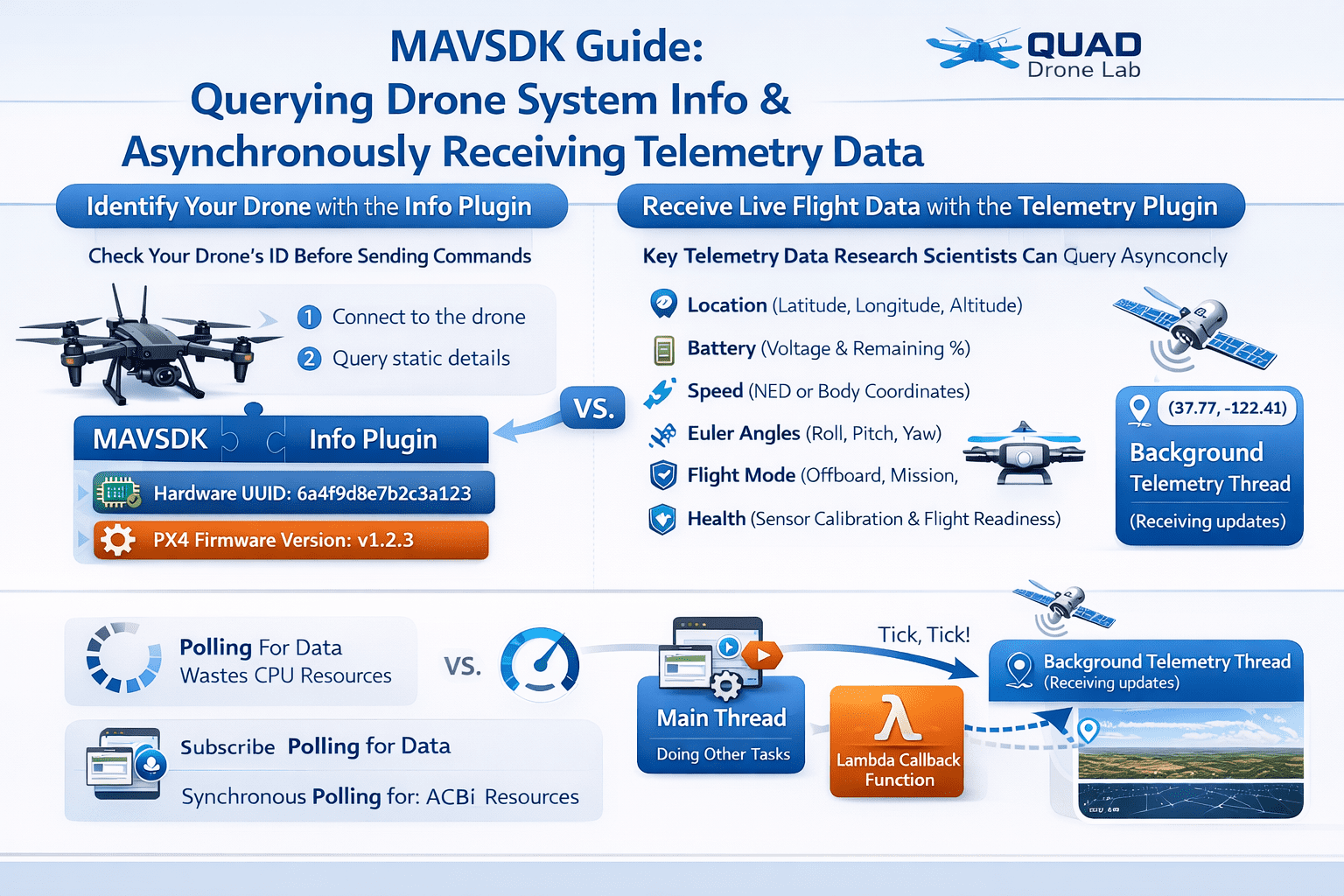
PX4 MAVSDK – C++ Programming [Episode 5] Querying System Information and Using Telemetry
Hello! I’m Aiden from the Marketing Team. In our last post (Part 4), we covered setting up CMake in an empty project and connecting a communication channel to perform “System Discovery.”
So, what’s next? It is time to understand the drone’s current status: What is the battery level? Where is it located (GPS)? For researchers designing autonomous flight algorithms, receiving real-time sensor data quickly and accurately is the core foundation of any control logic.
In Part 5, we will explore how to query basic system information using the Info plugin and how to receive a vast stream of flight data asynchronously using the Telemetry plugin.
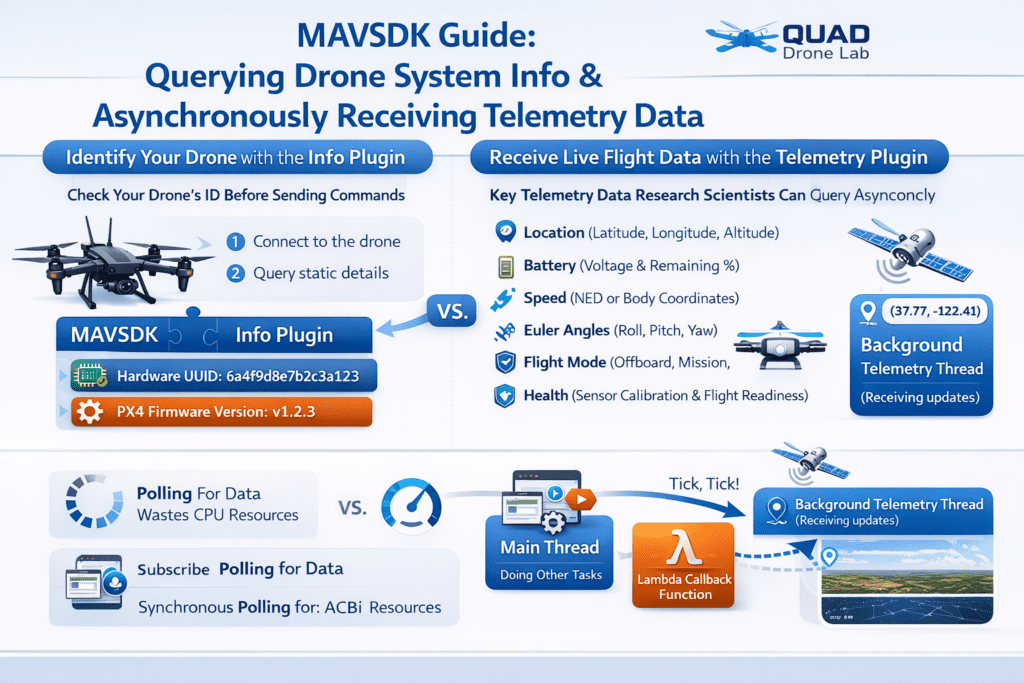
Identifying the Drone: Utilizing the Info Plugin
Before sending commands, you often need to identify what hardware and firmware the connected drone is using. The MAVSDK Info plugin is used to retrieve “static” information—data that doesn’t change during flight—such as the Unique Identifier (UUID), PX4 firmware version, and Operating System (OS) version.
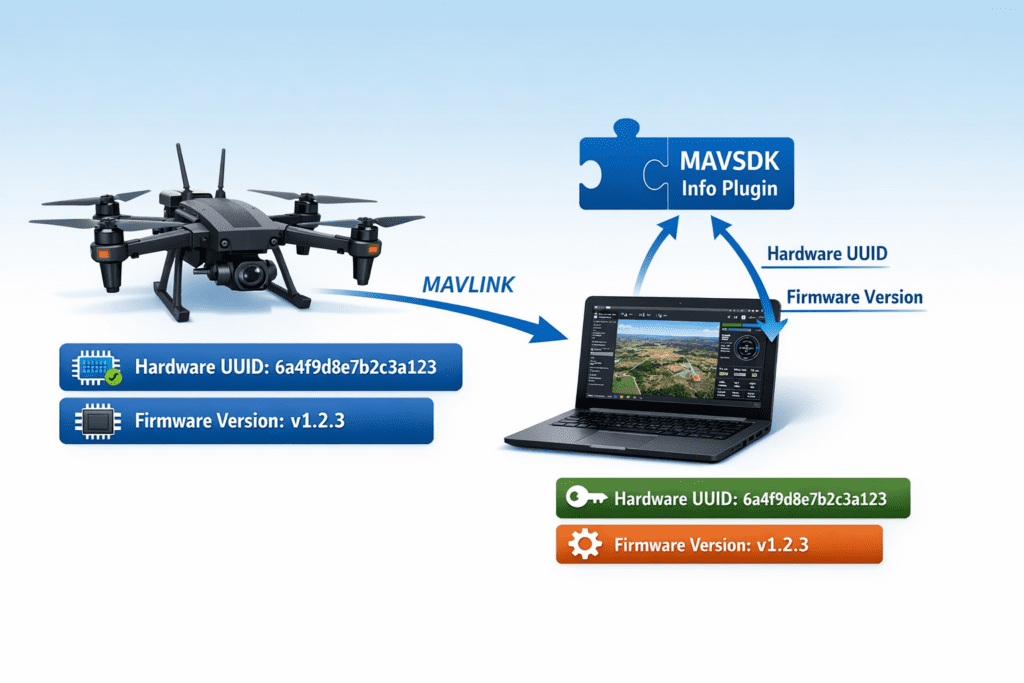
Since this information remains constant, you typically only need to query it once at the start of your program.
System Information Query Example
#include <iostream>
#include <mavsdk/mavsdk.h>
#include <mavsdk/plugins/info/info.h>

using namespace mavsdk;

// Assuming the 'system' object is already connected.
void print_system_info(std::shared_ptr<System> system) {
    // 1. Create an Info plugin instance
    auto info = Info{system};

    // 2. Check if all information has been collected
    while (!info.is_complete()) {
        std::cout << "Retrieving system information...\n";
        std::this_thread::sleep_for(std::chrono::seconds(1));
    }

    // 3. Print Firmware Version and Hardware UID
    auto version = info.get_version();
    std::cout << "PX4 Firmware Version: "
              << version.flight_sw_major << "."
              << version.flight_sw_minor << "."
              << version.flight_sw_patch << '\n';

    auto product = info.get_product();
    std::cout << "Hardware Product: " << product.vendor_name << " " << product.product_name << '\n';

    // It is recommended to use uid2 instead of the legacy hardware_uid.
    auto identification = info.get_identification();
    std::cout << "Vehicle Unique UID: " << identification.hardware_uid << '\n';
}💡 Tip: It is safer to use
info.is_complete()before querying to ensure all version details have been successfully received from the drone.
The Drone’s Neural Network: Telemetry Plugin Overview
While Info provides static data, the Telemetry plugin provides dynamic flight data that changes every millisecond. You can think of it as the drone’s neural network, handling a massive amount of critical information.
Key Telemetry data points frequently used in research and projects include:
- Position: Current latitude, longitude, and altitude (Relative and AMSL).
- VelocityNed / VelocityBody: Current velocity (Global NED frame or local Body frame).
- EulerAngle / Quaternion: Attitude data like Roll, Pitch, and Yaw.
- Battery: Remaining voltage and percentage (%).
- Flight Mode: Current mode (Offboard, Mission, Manual, etc.).
- Health: Suitability for flight (GPS lock, Gyro/Accel calibration status, etc.).
‘Asynchronous Subscription’ for Real-Time Data Handling
One of the reasons MAVSDK is superior to simple script-based libraries is its Asynchronous Callback-based Subscription architecture.
In the past, developers often used while(true) loops to constantly “poll” for sensor values, which wasted CPU resources or caused the program to “block.” In MAVSDK, you simply register a callback once: “Whenever new data arrives, run this function!” (using subscribe_xxx). The background thread then automatically triggers your callback function with the latest data.

Example: Subscribing to Position Data via Async Callback
#include <mavsdk/plugins/telemetry/telemetry.h>

void subscribe_drone_position(std::shared_ptr<System> system) {
    auto telemetry = Telemetry{system};

    // Set update rate (e.g., 1.0 Hz = once per second)
    telemetry.set_rate_position(1.0);

    // Register asynchronous subscription and lambda callback
    telemetry.subscribe_position([](Telemetry::Position position) {
        std::cout << "[Telemetry] Alt: " << position.relative_altitude_m << "m | "
                  << "Lat: " << position.latitude_deg << " | "
                  << "Lon: " << position.longitude_deg << '\n';
    });
}The block [](Telemetry::Position position) { ... } in the code above is a Lambda function. It defines an “anonymous function to be executed on the spot whenever position data is updated.” Since we don’t need access to external variables, the capture block [] is left empty. This pattern is used extensively throughout MAVSDK!
⚠️ Crucial Note for Researchers (Thread Management)
All user callbacks in MAVSDK are typically called sequentially from a single internal thread. Therefore, you must never perform heavy tasks (like OpenCV image processing, A* pathfinding, or heavy File I/O) inside these lambda callbacks. If a callback lags, the next telemetry data packet will be delayed, significantly increasing system latency. We recommend using callbacks only to update the latest values in global or class member variables, while performing heavy computations in a separate main worker thread.
Detecting Changes & Pre-flight Safety (Health Check)
Sometimes, you don’t want to run code “every time data arrives,” but rather “only when a state changes” or “until a certain condition is met.”
1) Detecting Flight Mode Changes
For example, if you want to trigger a notification only when a pilot switches from ‘Manual’ to ‘Offboard’ mode, you can use a static variable to remember the previous state.
telemetry.subscribe_flight_mode([](Telemetry::FlightMode current_mode) {
    // Use a static variable to remember the previous mode
    static Telemetry::FlightMode last_mode = Telemetry::FlightMode::Unknown;

    if (current_mode != last_mode) {
        std::cout << "Flight Mode Changed: " << current_mode << '\n';
        last_mode = current_mode;
    }
});2) Essential Pre-flight Check: health_all_ok()
Safety is paramount in drone control. Before commanding a Takeoff, you must ensure the sensors are calibrated and the GPS has a sufficient lock to set a “Home Position.”
In this case, a Synchronous Polling approach—momentarily pausing the main code flow to wait—is often more intuitive.
std::cout << "Waiting for system health check and GPS lock...\n";

// Block until health_all_ok() returns true (polling every 1 second)
while (!telemetry.health_all_ok()) {
    std::cout << "System not ready. Waiting...\n";
    std::this_thread::sleep_for(std::chrono::seconds(1));
}

std::cout << "Sensors and GPS ready! Ready for takeoff.\n";Only after passing this stage will the Action::arm() (motor start) command—which we’ll learn in the next part—be accepted by the flight controller.
In this session, we learned how to use the MAVSDK Info and Telemetry plugins to understand the drone’s identity and efficiently receive real-time location and status data using asynchronous methods.
The asynchronous callback model using Lambda functions might feel unfamiliar at first, but once mastered, it is a powerful tool that allows you to process numerous sensor streams in parallel without overloading your system.
Now that we can read every detail of the drone’s status, it’s finally time to take to the skies! In [Part 6: Basic Flight Control with Action API], we will implement the core flight sequence: Arming the motors, Taking off, Hovering at a target altitude, and Landing safely.
YouTube Tutorial

Author: Aiden, Marketing Team, QUAD Drone Lab
Date: March 15, 2026
![PX4 MAVSDK – C++ Programming [11편] MAVSDK vs MAVROS vs uXRCE-DDS 완벽 비교](https://quad-drone-lab.co.kr/wp-content/uploads/2026/03/0322_인포그래피-768x512.png)
![PX4 MAVSDK – C++ Programming [5편] 시스템 정보 쿼리 및 원격 측정(Telemetry) 활용](https://quad-drone-lab.co.kr/wp-content/uploads/2026/03/0315_인포그래피-768x512.png)
![[Everything About Drone Batteries]Part 3: The Evolution to High-Voltage Systems: The World of 6S, 8S, and 12S](https://quad-drone-lab.co.kr/wp-content/uploads/2026/05/Inside-the-Intelligence-Battery-Diagram-768x429.png)