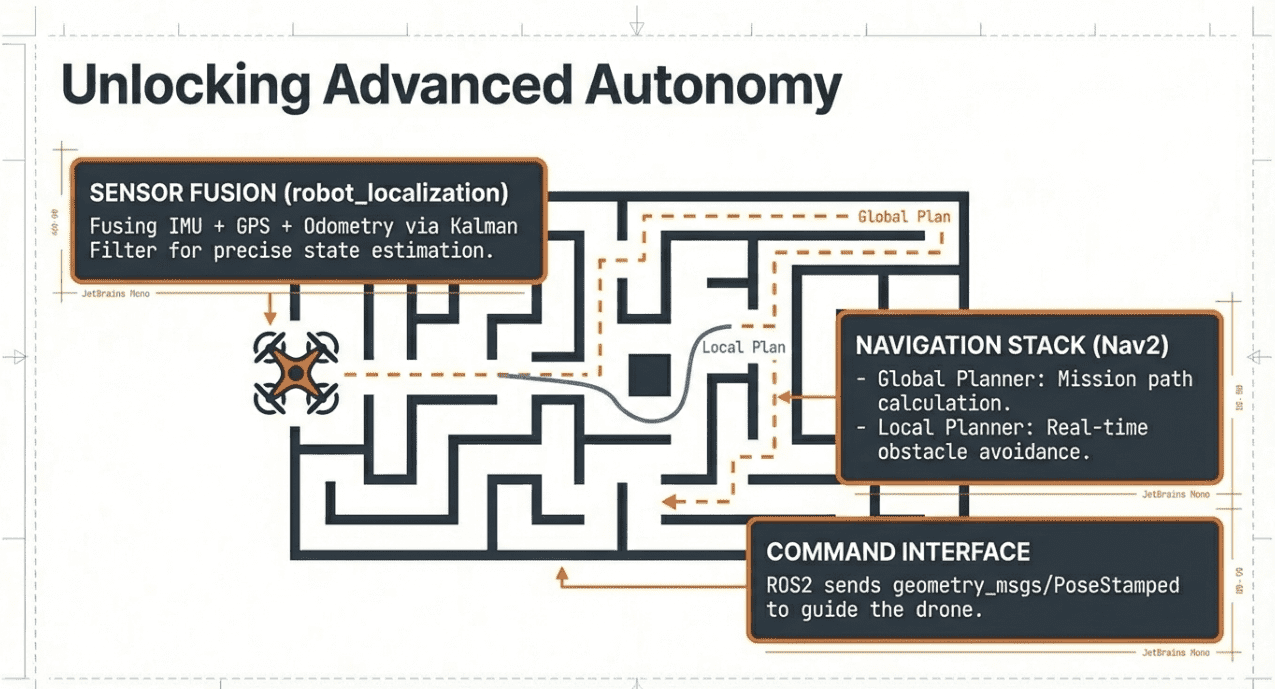
Step-by-Step Guide: Integrating Pixhawk PX4, ROS 2, and Gazebo Simulation
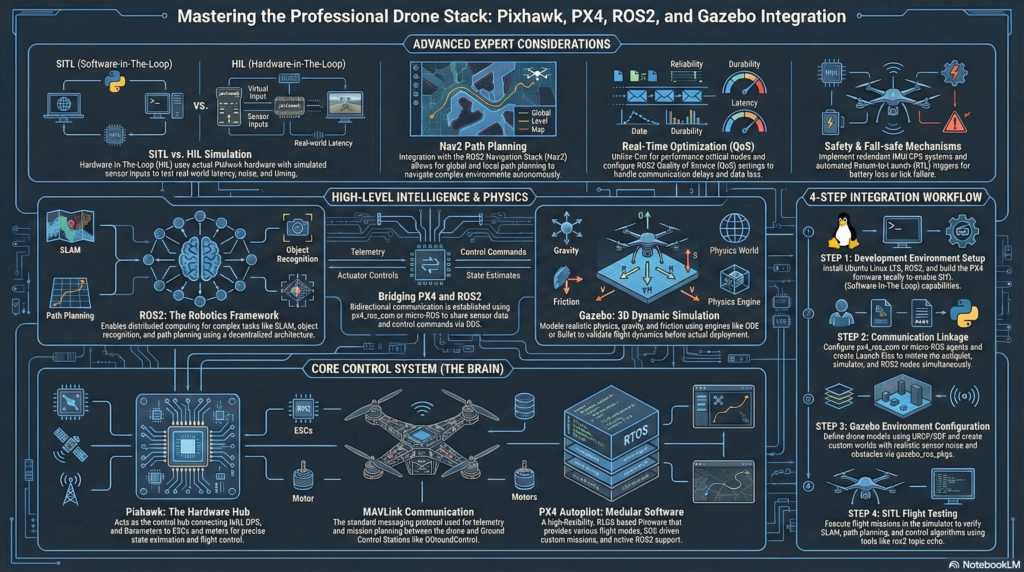
Introduction
In the field of autonomous drone development, the integration of PX4, ROS 2, and Gazebo has become the industry standard. This setup allows developers to bridge the gap between high-level AI algorithms and low-level flight control. At QUAD Drone Lab, we’ve prepared this in-depth guide to help you master the communication bridge: Micro XRCE-DDS.
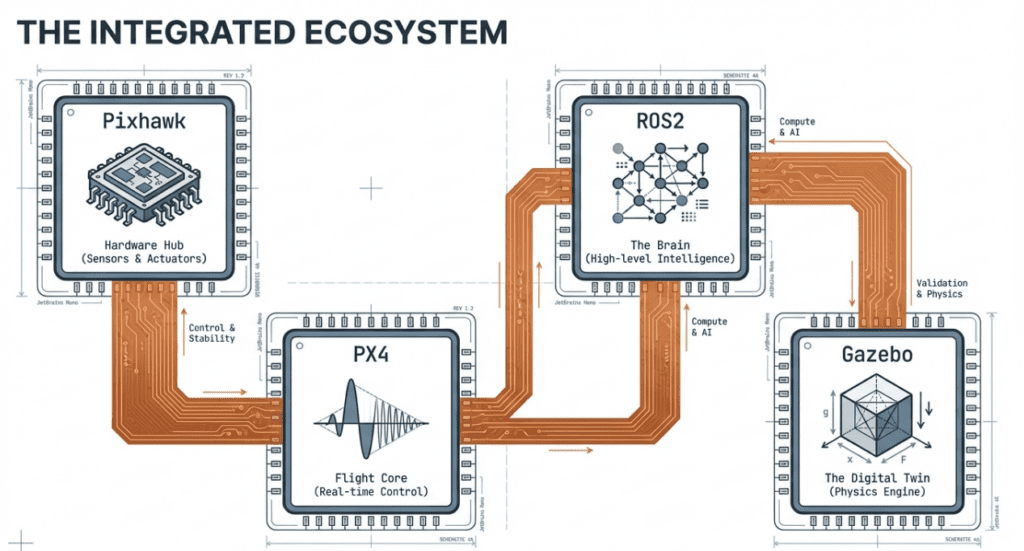
1. The Architecture: Why ROS 2 and Micro XRCE-DDS?
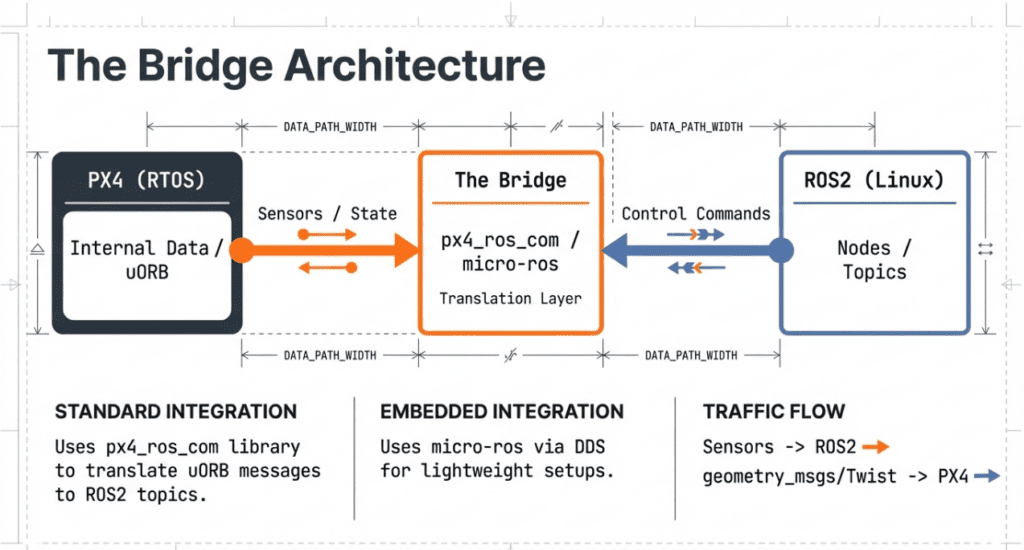
In previous versions (PX4 v1.13 and earlier), FastRTPS was the primary bridge. However, starting from PX4 v1.14, the architecture has shifted to Micro XRCE-DDS.
- Micro XRCE-DDS Client: Runs on the PX4 (NuttX) side.
- Micro XRCE-DDS Agent: Runs on the Companion Computer (Ubuntu/ROS 2 side).
- uORB Topics: PX4 internal messages are seamlessly mapped to ROS 2 topics through this middleware.
2. Prerequisites
Before starting, ensure your environment meets the following requirements:
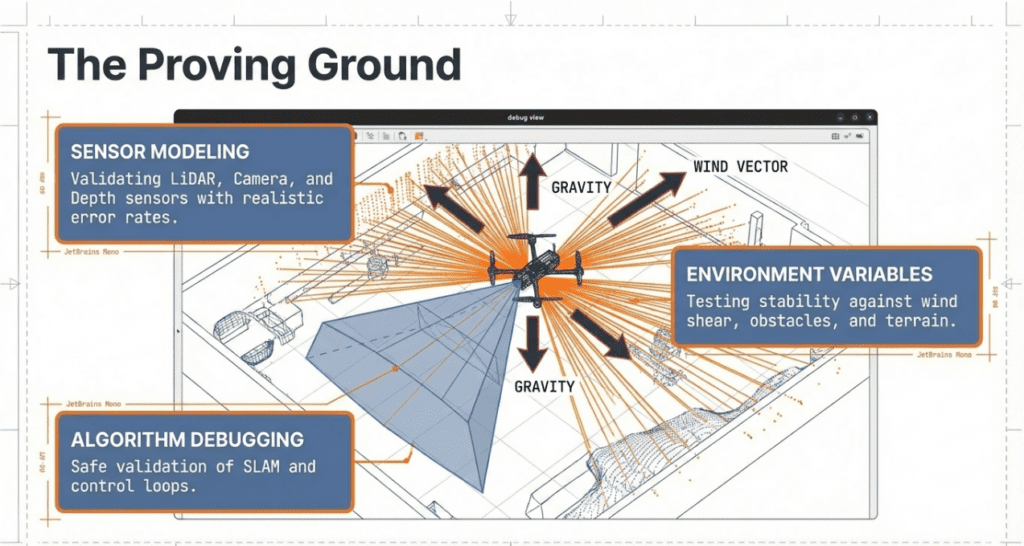
- OS: Ubuntu 22.04 LTS (Jammy Jellyfish)
- ROS 2: Humble Hawksbill
- PX4 Autopilot: v1.14 or later
- Simulator: Gazebo Garden (New) or Gazebo Classic
3. Step-by-Step Implementation
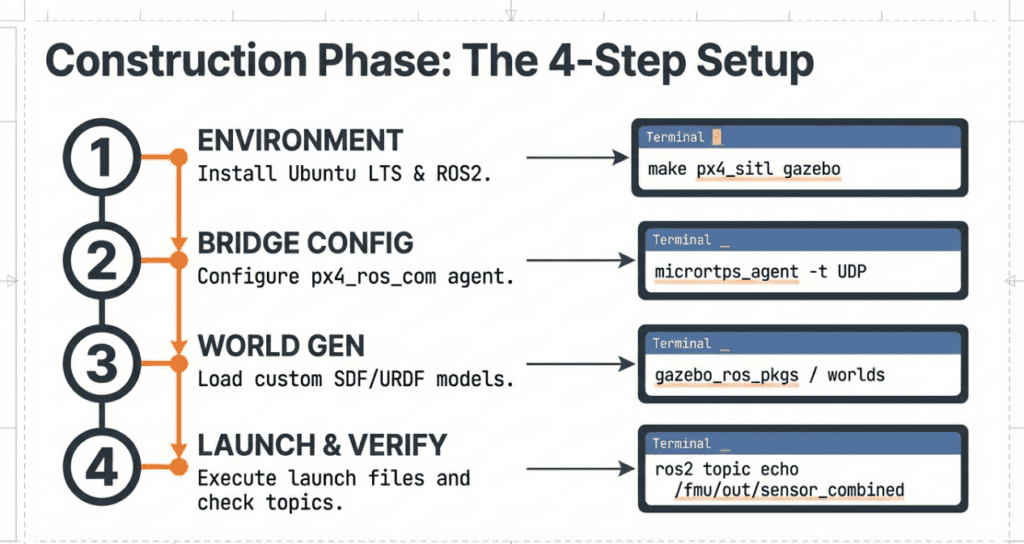
Step 1: Install Micro XRCE-DDS Agent
The Agent is the gateway that listens to PX4 data and broadcasts it to the ROS 2 network.
Bash
# Clone and build Micro XRCE-DDS Agent
git clone https://github.com/eProsima/Micro-XRCE-DDS-Agent.git
cd Micro-XRCE-DDS-Agent
mkdir build && cd build
cmake ..
make
sudo make install
sudo ldconfig
Step 2: Set Up PX4 Autopilot Source Code
Bash
git clone https://github.com/PX4/PX4-Autopilot.git --recursive
cd PX4-Autopilot
# Install dependencies
bash ./Tools/setup/ubuntu.sh
Step 3: Launching Gazebo Simulation (SITL)
In a new terminal, run the PX4 Software-in-the-Loop (SITL) simulation:
Bash
# For Gazebo Garden
make px4_sitl gz_x500
Step 4: Run the Micro XRCE-DDS Agent
In another terminal, connect the agent to the simulation via UDP:
Bash
MicroXRCEAgent udp4 -p 88884. Verifying Communication in ROS 2
Once the Agent is running, you can check if the PX4 topics are being correctly published to the ROS 2 environment.
Bash
# List available ROS 2 topics
ros2 topic list
You should see topics such as:
/fmu/out/vehicle_odometry/fmu/out/vehicle_status/fmu/in/vehicle_command
5. Controlling the Drone (Python Sample)
Here is a simplified Python script using the px4_msgs package to monitor the drone’s status.
Python
import rclpy
from rclpy.node import Node
from px4_msgs.msg import VehicleOdometry

class PX4MonitorNode(Node):
    def __init__(self):
        super().__init__('px4_monitor')
        self.subscription = self.create_subscription(
            VehicleOdometry,
            '/fmu/out/vehicle_odometry',
            self.listener_callback,
            10)

    def listener_callback(self, msg):
        self.get_logger().info(f'Current Altitude: {-msg.position[2]:.2f}m')

def main(args=None):
    rclpy.init(args=args)
    node = PX4MonitorNode()
    rclpy.spin(node)
    rclpy.shutdown()

if __name__ == '__main__':
    main()
6. Conclusion
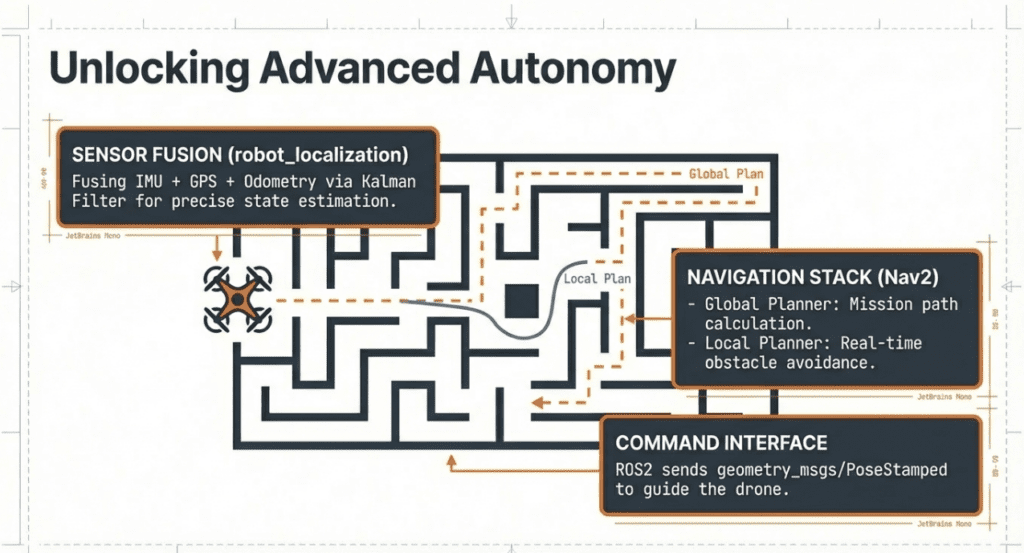
The integration of PX4 and ROS 2 via Micro XRCE-DDS provides a robust and scalable platform for autonomous drone research. Whether you are developing swarm intelligence or AI-based obstacle avoidance, this simulation environment is your first step toward successful flight.
Need more expert advice? Visit QUAD Drone Lab for professional textbooks and hardware development kits.

Author: Robert Ha, CEO of QUAD Drone Lab.
Date: February 2, 2026
![PX4 MAVSDK – C++ Programming [3편] MAVSDK C++ 설치 및 SITL 시뮬레이션 환경 구축](https://quad-drone-lab.co.kr/wp-content/uploads/2026/03/0313_인포그래픽-768x419.jpg)
![[ROS2 Mastery 5편] ROS2 Topic 프로그래밍 (2) – Subscriber로 위치 정보 수신하기](https://quad-drone-lab.co.kr/wp-content/uploads/2026/05/0516_인포그래피-768x429.jpg)
![[PX4 Tuning Series Appendix] Racing Drone Tuning Guide (Racer Setup): Unlocking Extreme Performance](https://quad-drone-lab.co.kr/wp-content/uploads/2026/03/Racing-Drone-Minimalism-and-Balance-768x429.png)