The Ultimate Guide to MAVSDK-Python Programming [Part 1]: Introduction to MAVSDK and Programming Prerequisites
Hello and welcome, university students and researchers interested in the exciting field of autonomous drone control and application development!
When conducting drone research, moving beyond manually flying a drone with a remote controller is essential. Eventually, you will need to write custom code to issue commands, retrieve real-time telemetry data, and execute complex autonomous missions. In this blog series, we will take a step-by-step journey into MAVSDK-Python, a powerful tool designed to help you implement these programmatic capabilities easily and effectively.
Today, in our very first session, we will deeply explore Part 1: Introduction to MAVSDK and Programming Prerequisites. If you follow along carefully, you will build a solid foundation for your future drone programming endeavors.
1. Innovation in Drone Control: What exactly is MAVSDK?
If you are new to drone programming, you have probably heard the term ‘MAVLink’. MAVLink is a lightweight communication protocol used to exchange data between a drone and a Ground Control Station (GCS). However, manually composing, sending, and parsing MAVLink messages at the code level is a highly complex and time-consuming task, even for experienced researchers.
To solve this challenge, MAVSDK was introduced.
MAVSDK is a collection of open-source libraries developed by the Dronecode Foundation. It is designed to provide simple APIs to interface with MAVLink systems, such as drones, cameras, or ground systems, across various programming languages.
In simple terms, MAVSDK handles the complex underlying MAVLink communication protocols for you. Instead of parsing binary messages, you only need to call intuitive programming functions like “Take off!”, “What is your current location?”, or “Go to these coordinates!”

Here are the core features and benefits that MAVSDK provides:
- Intuitive Programmatic Control: It provides a simple API to manage one or more vehicles, offering programmatic access to vehicle information and telemetry.
- Mission and Action Management: You can easily control drone missions, movements, and various other operations with straightforward commands.
- Flexible Deployment Environments: The library can be utilized onboard a drone using a companion computer, or on the ground via a ground station or mobile device, making it highly adaptable for diverse research purposes.
2. Multi-Language Support: Why choose Python?
At its core, MAVSDK is written in C++ to achieve maximum performance. The C++ library is highly optimized and often used to enable computationally heavy tasks like computer vision, obstacle avoidance, and complex path planning.
However, in an academic or research environment, rapid prototyping, data analysis, and seamless integration with AI models are often the highest priorities. To accommodate this, MAVSDK provides language wrappers over its core C++ engine for several programming languages.
Looking at the release years of the officially supported languages, you can see how actively the MAVSDK ecosystem has expanded:
- MAVSDK-C++ (2016)
- MAVSDK-Swift (2018)
- MAVSDK-Python (2019)
- MAVSDK-Java, MAVSDK-JavaScript, MAVSDK-CSharp, MAVSDK-Rust (2019)
- MAVSDK-Go (2020)
Among these, the MAVSDK-Python library is the most highly recommended for graduate students and researchers working on autonomous robotics or vision-based drones. Python’s concise syntax combined with its powerful research ecosystem (including libraries like OpenCV, TensorFlow, and PyTorch) makes it an unbeatable choice for rapid development and testing.
3. Before We Code: Programming Prerequisites
No matter how great a tool is, it cannot be used without the proper experimental environment. Before we start writing code, let’s carefully check the prerequisites that must be configured on your computer.
① Operating System (OS): Linux Ubuntu
Linux is the most stable and widely used operating system in drone development and research environments. To smoothly run the examples in this guide, you must prepare an environment running Ubuntu 20.04 or Ubuntu 18.04.
② Python Version Verification
MAVSDK-Python runs on Python 3. You must verify the version of Python installed on your system.
- A minimum of Python 3.6+ is required, though Python 3.7+ is recommended based on the latest API documentation.
- Open your terminal and type
python --versionorpython3 --versionto check your currently installed version.
③ PX4 Toolchain and SITL (Software In The Loop) Installation
Flying a real drone every time you write and test new code is extremely dangerous and inefficient. Therefore, a simulator that allows you to fly a virtual drone is absolutely essential.
- You need a running SITL (Software In The Loop) instance.
- To achieve this, the PX4 Toolchain must be installed, and you will primarily use simulators like jMAVSim or Gazebo.
- Additionally, for researchers who need to simulate complex physics and environments, a ROS / Gazebo setup along with C/C++ compilers should also be installed.
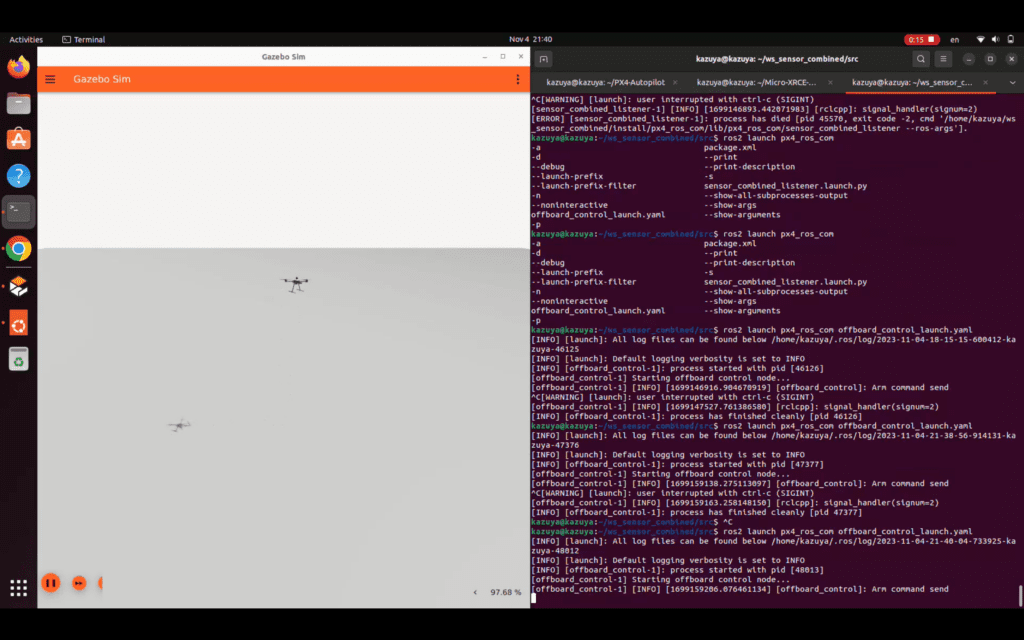
4. Development Environment Preview: Installing MAVSDK-Python and Warm-up
If all the prerequisites are met, let’s have a quick warm-up session where we install the library and run a simple script.
Installing MAVSDK-Python
Installation can be done very simply using Python’s package manager, pip3. Depending on your system’s default settings, you might need to use pip instead of pip3. Enter the following command in your terminal:
pip3 install --upgrade mavsdk
Make sure to check the terminal output to confirm that the installation succeeded! Depending on your system, you might want to run pip3 install --user mavsdk for user-specific permissions or use a Python virtual environment (venv).
Additionally, if you want to test code interactively in the terminal without saving it to a file (REPL), it is highly recommended to install the aioconsole package.
pip3 install aioconsole
A Taste of Code: Drone Takeoff and Land
MAVSDK-Python internally utilizes the asyncio framework for asynchronous processing. Even if the syntax looks unfamiliar right now, just read through the code comfortably to grasp the general flow of how the drone is controlled.
First, run your simulator (SITL). Then, you can either open an interactive shell using apython or write the following code into a Python script file. When writing code, using an IDE (Integrated Development Environment) like PyCharm is incredibly convenient, as typing drone.action. will trigger auto-completion suggestions.
import asyncio
from mavsdk import System

async def run():
    # 1. Create a System object for the drone
    drone = System()

    # 2. Attempt to connect to the drone (SITL)
    # By default, the embedded mavsdk_server runs automatically on port 50051.
    await drone.connect(system_address="udp://:14540")
    print("Waiting for drone to connect...")

    # 3. Start the motors (Arming)
    print("-- Arming")
    await drone.action.arm()

    # 4. Takeoff
    print("-- Taking off!")
    await drone.action.takeoff()

    # Wait in the air for 10 seconds
    await asyncio.sleep(10)

    # 5. Land
    print("-- Landing")
    await drone.action.land()

# Run the asyncio event loop
if __name__ == "__main__":
    asyncio.run(run())

💡 Crucial Tip for Researchers: Exception Handling
When you run the code above, you might occasionally fail to take off and encounter an error like this: mavsdk.generated.action.ActionError: COMMAND_DENIED : 'Command denied'; origin: arm(); params: ()
This is not a bug! It means the PX4 Flight Controller (FC) rejected the command because you attempted to arm the motors before the drone received a stable GPS signal (before Global Position Estimate was OK).
When writing code for actual research, you must develop the habit of meticulously handling exceptions that can be raised by most MAVSDK-Python functions using try... except blocks for safety. Also, remember that if you do not send the takeoff() command within a few seconds after sending the arm() command, the drone will automatically disarm itself for safety reasons.
Wrapping Up
In today’s session, we explored what MAVSDK is, why Python is an excellent choice for research, and thoroughly reviewed the programming prerequisites, including the operating system and SITL simulators needed before writing code.
The terminal screens and configurations might seem a bit overwhelming right now, but establishing this solid foundation is crucial so you won’t get lost later when testing advanced autonomous flight algorithms.
In Part 2, we will dive deeper into how the code we briefly tasted today actually works under the hood, and we will cover the detailed process of Setting up the MAVSDK-Python Development Environment (from cloning the Git repository to understanding the mechanics of mavsdk_server).
If you have any questions, please feel free to leave a comment. See you in the next post!
YouTube Class

Author: maponarooo, CEO of QUAD Drone Lab
Date: March 3, 2026
![[하이브리드 항법 시스템: 제7편] [구현-3단계] 종말 단계: YOLO 기반 정밀 시각적 서보잉(IBVS)과 Offboard 제어 시뮬레이션](https://quad-drone-lab.co.kr/wp-content/uploads/2026/07/UAV_Visual_Servoing_Navigation_Guide-768x429.png)
![[하이브리드 항법 시스템 제1편: 개요] GPS 없이 수백 km를 날아간다? 2차대전 조종사에게 배우는 하이브리드 항법 시스템](https://quad-drone-lab.co.kr/wp-content/uploads/2026/04/컴패니언-컴퓨터-기반의-AI-지형지물-보정-768x419.jpg)
![PX4 MAVSDK – C++ Programming [12편] MAVSDK C++를 활용한 최신 자율 비행 연구 사례](https://quad-drone-lab.co.kr/wp-content/uploads/2026/03/0322_인프그래피2-768x429.jpg)
![[PX4 드론 안전비행 설정 가이드] 1부. 첫 비행을 위한 준비운동: 법률과 비행 장소 선정 가이드](https://quad-drone-lab.co.kr/wp-content/uploads/2026/07/Safe_Drone_Flight_Guide-768x429.png)
![[ROS2 Mastery #2] Understanding ROS2 Communication Nodes and Mastering RQT for Visualization](https://quad-drone-lab.co.kr/wp-content/uploads/2026/05/0505_인포그래픽-768x419.jpg)